Showing posts with label twitter. Show all posts

Tuesday, March 08, 2011

Thinking and Meeting Beyond Facebook


Last week I met a person personally who got in touch with me through the social networking site. We exchanged few emails and he got in touch with me when he visited Bangalore on a business trip. It was great meeting him and it not only helped us knowing each other more but, it helped us in expanding our network and also exchange of new ideas.

This made me think that Facebook though called by that name, hardly leads to face-to-face communication. It is of no use of exchanging links, photos and messages. What can’t be communicated in 140 characters will give a more tremendous experience when one meets the other personally. I am not exaggerating anything here, but I feel it would be really great if such networking sites add more features to have regular offline meet-ups and schedule meetings of like-minded people. Networking sites have really helped getting lot of people together. I was able to get in touch with 35 of my school classmates whom I did not talk at all – leave alone meeting. I was unaware of where they were and their contact details. Facebook has really helped us in getting together. I met few of them and talked to most of them. And I am really enjoying meeting each of them personally.

I see, a regional or geographical based Facebook or networking sites to come up which will help people meet offline and share knowledge and ideas. The online meeting needs to extend to offline and vice-versa. Sites like Places, FourSquare and Google Latitudes are there, but it really allows or motivates a person to meet his / her friend. I am seeing a system which motivates and prompts one to such meets. The friends I am talking here are not your present colleagues or the ones who meet personally often, but those you were introduced to you online through these sites and helped you know each other better.

And the irony is, these networking sites may just remain a messaging site and will not make each other meet. People may find fun in updating their status messages and chatting online thus, avoiding the need to meet each other. People may get hooked to these sites to avoid loneliness and may this may lead to more loneliness. So, I guess it is high time to get these meets or provide a system to motivate and move these connections to meet face-to-face.

I would love to know your thoughts as well. Please do put in your thoughts as comments. Happy Facebooking…


Wednesday, April 28, 2010

3 Most Important Social Media Strategies

To be successful in social media is it important

  • To increase your network in social space - have more and more followers in Twitter?
  • To have presence in all the forms – blogs, forums, Twitter, Facebook…?
  • To keep talking about your own business?
If you feel so, then you are wrong. Social media is about others talking about your business. It is about sharing knowledge. It is not a place to do sales. Your network should talk about it and spread the word.

The most important steps for a social media campaign to be successful are

  1. Identifying the evangelists who will talk about your business and get them into your social network.
  2. Make the evangelists to talk about you and your business.
  3. Allow the evangelists to spread the word among their network
Who can be these evangelists? They can be your customers, prospects, analysts and/or your partners. Try to convert them into evangelists. Discuss a topic among them so that it can ignite a healthy discussion. Share knowledge so that these evangelists can get more dope to discuss. Let them review your product or service. Let them discuss about your customer support. If at all there are few negative conversations or feedback in the social media space, inspire these evangelists to have more positive conversations apart from you immediately responding to the same.

Also read below articles to know more about social media and networking:

The Four Important Steps to Start Social Networking for Business
6 Tips To Be Successful In Social Media Marketing
5 Important Approaches for Social Networking for Companies

Social Media Marketing: An Hour a Day

Wednesday, April 07, 2010

Voice Based Microblogging: Bubbly


By the way Bubbly is going, it seems to be the next big thing after the current internet fad - Twitter. Bubble Motion has recently launched this Bubbly - a voice-blogging social network built for mobile phones.

Bubbly is already moving upwards with the number of subscribers, which have reached 500,000. They claim to they have more than 150,000 users from India only.

With Bubbly, you can record and broadcast messages from any mobile device. When a users records audio messages (lasting up to one minute) and updates, followers can listen in whenever they want. To start voice-blogging, you enter a short code onto your phone, and start recording your messages. To follow another voice-blogger, users dial the phone number for whomever they want to follow. Whenever there’s a new audio update, followers are notified via SMS with instructions on how to listen. Bubblers can also control who can listen to their messages, and have the option of masking their actual phone number to prevent followers from calling them directly.

Bubbly is currently partnering with mobile operators in India and has launched with regional and national Indian celebrities using voice-blogging using Bubbly. India seems like a perfect market for Bubbly. Among the first few is Sonu Niggaam. He said, "This platform offers no space for pretensions and is a genuine way of engaging with fans". Hey, can't one mimic the celebs voice?

Looking at all this, Bubbly can have success in markets where mobile usage is more than the internet usage.

Friday, April 02, 2010

The Four Important Steps to Start Social Networking for Business

We have seen over the past few years the “buzz” was and is all about social networking say it on Facebook, Twitter, MySpace, LinkedIn or…. the list goes on. Many other brands, retailers and corporate have also boarded the bandwagon to listen and respond to their consumers with the intent to increase the interaction and communication with them.

But, what are the main things the social networking depends on?

I have just tried to summarize the vast thing in under these four steps. This is just to provide the reader a hang of the buzz word.
  1. Listening: The first and the foremost thing is to know where your prospects or customers come together to share knowledge and interact. It hardly makes sense if you try to build your social networking setup at a place where you do not have your prospects. So, one needs to do extensive research and study to identify such platform as to where they are getting together. If this is not possible, then identify where is the communication relevant to your business is going on. In fact you want to be among with your peer group. You need to know the answers to these basic questions
    - Where do they live?
    - What do they do?
    - How are they currently using social media?
  2. Interaction: This is the ability of users to engage with each other and the business owner. The most important thing is a social network mainly depends most upon the quality of the interaction features and interaction between the peer groups. Without them, a social network’s growth becomes difficult, its membership becomes disengaged and its purpose is missed. Moreover, the quality of content that is being shared should be of interest and related to your business. Try to identify thought leaders in your business or organization that can submit good content regularly and can interact with the community. Do not try to talk more of sales here or more of me. You can build successful network if you share knowledge and this platform is not to advertise your business. Create distinctive content that fits with the organization’s identity and mission. The owner should make this as a part of the routine – create content, respond to members and engaging them.
  3. Relationship: The third important step is to build relationships with your prospects and customers. With proper interaction (step #2) one reaches to build on this step. This relationship should be such that it should trigger offline relationship and get-togethers. Here the member is more matured in the networking space and would like to increase his/her network may or may not be in the peer.
  4. Measurement: So your question now is “What is the ROI?” Lot of sharing content, exchange of opinions, reviews…etc is going on. So, would you like to see the no. of page views, referrals or sales conversions? I would suggest you to develop a set of objective-oriented measurement standards, tied to existing business objectives, to assess the effectiveness of the social networking initiatives. For any social media community, there is an unlimited scope of activity to measure: interactions, contributions and connections across time location and topic. You need to focus on relationships and not selling.

Building a good social networking for business is not that easy as mentioned here in four steps. It needs lots of thinking, detailed plan, strategies, identifying the peer group, getting hold of the contributors that can ignite interaction and engagements and the list goes on. But, these four steps will really help you in understanding what ground word is required. So, good luck.


Also read:
6 Tips To Be Successful In Social Media Marketing
5 Important Approaches for Social Networking for Companies

Monday, December 07, 2009

Famous Personalities / Celebraties on Twitter

Twitter has become very famous among the personalities, especially among the film celebraties. You find Sachin Tendulkar, Rahul Gandhi and not to forget Priyanka Chopra, Mallika Sherawat, Rakhi Sawant et al... Here are few Twitter accounts which I was able to find out. Not sure how many are verified. You can directly follow my list on Twitter - Films and Sports.

Abhishek Bachchan
Aishwarya Rai Bachchan
Ajay Devgan
Akshay Kumar (verified)
Amrita Arora
Amrita Rao
Amitabh Bachchan
Anand Mahindra
Anupam Kher
Anushka Sharma
Arbaaz Khan
Arjun Rampal
A R Rehman
Arshad Warsi
Asin Thottumukal
Ayesha Takia
Barack Obama (verified)
Barkha Dutt (news channel, verified)
Bill Gates (verified)
Boman Irani
Celina Jaitly
Chetan Bhagat (author)
Chris Gayle (cricket)
Dalai Lama (verified)
Deepika Padukone
Dino Morea
Farhan Akhtar
Geoffrey Boycott (cricket)
Genelia D’souza
Gul Panag (verified)
Hritik Roshan
Imran Khan
Jiah Khan
Jugal Hansraj
Karan Johar (verified)
Konkona Sensharma
Kris Gopalakrishnan
Lara Dutta
Lalit Modi (cricket, verified)
Madhavan
Madhur Bhandarkar
Mahesh Bhatt
Mahesh Bhupathi (Tennis)
Mahendra Singh Dhoni (cricket)
Mallika Sherawat (verified)
Mandira Bedi
Meera Sanyal (politics)
Meghna Gulzar
Mohammed Kaif (cricket)
Narendra Modi (politics - protected account)
Neha Dhupia
Neil Nitin Mukesh
Oprah Winfrey (verified)
Pragyan Ojha (cricket)
Prannoy Roy (NDTV)
Priety Zinta
Pritish Nandy
Priyanka Chopra (verified)
Radhika Roy (news channel)
Rajat Kapoor
Rahul Gandhi (politics - protected account)
Rahul Khanna
Rajnikanth
Rajdeep Sardesai (news channel)
Rakhi Sawant
Ram Gopal Verma
Ranbir Kapoor
R P Singh (cricket)
Riteish Deshmukh
Sachin Tendulkar (cricket - verified)
Sajid Khan
Salman Khan
Sameera Reddy
Sania Mirza (tennis)
Shahrukh Khan
Shammi Kapoor
Shane Warne (cricket)
Shashi Tharoor (politics)
Shatrughan Sinha
Shekar Kapoor
Shilpa Shetty
Shreya Ghoshal
Shruti Hassan
Siddharth
Sona Sinha
Sonam Kapoor
Sonu Nigam
Sussanne Roshan Khan
Sushmita Sen
Trisha
Uday Chopra
Vijay Mallya
Vivek Oberoi (verified)
Yuvraj Singh (cricket)
Zaheer Khan (cricket)

Let me know if you have more. You can add them as comments here.

For Twitter ids of Telugu film stars click here.


The A to Z of Sachin Tendulkar

Friday, December 04, 2009

Seven Social Media Trends for 2010

We have seen what difference Social Media has done to the online world in 2009. The users have increased enormously on Facebook, Twitter… More and more people are using it. Organizations have also moved over to this channel to provide customer service or just to create brand awareness here as well. So, what 2010 has for us in Social Media –
  1. Social Media will be more filtered: People do not like unnecessary updates to be seen in Facebook or Twitter. They want to read updates which they are interested in. People would now like to connect with only like-minded people. They just do want to increase their social network – they will now choose in which niche network they want to be a part of. This will give rise to increase in “exclusive” social networks concentrating on niche areas where like-minded people can ignite more in discussions.
  2. More Organizations will join this wagon: More corporate and organizations will try to use this medium to provide customer service. This is the most economical way to solve the customers’ issues and it is also quick. Even the customers will feel it is comfortable to reach through this channel. Wells Fargo, Best Buy’s are already using Twitter help out their customers to answer their queries.
  3. Organizations will look out for numbers: Organizations will try to leverage this medium and at the same time they would like to know as to whom all are talking about their brand and products on other social channels. They would be keen to analyze the plus and minus feedbacks. They may also want to know about the presence of their competitors here and how they are leveraging this platform. More tools and filters will come into play to help the organizations in getting these stats and analysis.
  4. Social Media on Mobile: Organizations will have polices on using networking sites by employees and may even block most of the sites within the office network. Employees will be forced to use mobile phones to help them with the social media. This will increase the usage of mobiles with good apps to help them in satisfying them with the social media addiction.
  5. Social Business: More games and apps will be focused on generating revenues. The apps will try to create competition with friends. FourSquare, Rummble will try to concentrate more into this business.
  6. Usage of Emails will come down: Social media helps in distributing and sharing of content with large audience much easily than emails. People will try to use less and less of emails and more of social sites. Read more about this - Email Vs Social Networking Sites
  7. Leveraging Offline meets with Online Connections: People will tend to meet offline with the like-minded people whom they met online. Networking groups will lead to such meet-ups. More and more websites and people will come-up to have such meet-ups.

Let me know if you anticipate more or do you defer with my thoughts. I would like to hear from you.

Related read: Top 10 Probable Trends in 2010 for Online World

Wednesday, November 25, 2009

Top 10 Probable Trends in 2010 for Online World

Here is my early guess work of the trends that can be expected in the online and internet world during the year 2010. All may not be true and damn sure to happen… but, we can just expect it. So, here are the predictions:
  1. Social Media may replace email to a certain extent: Social media may reduce the usage of communication through emails. Facebook, Twitter… are providing access to your friends and like-minded people much easier and faster than email. The usage of email communication can reduce a lot among friends and personal communication. More about this has been discussed in my earlier post Email Vs Social Networking Sites.
  2. Facebook you friend: People will not be searching for personal details of their friends on Google first. They will try to find it on social sites like Facebook, Twitter… So, the new verb will be Facebook your friend and try to find his/her personal details. “Hey Bob, can I have your phone number?” “Dude, Facebook me and you will get it”. Yes, this is the way it goes. Social search will be important in the coming year.
  3. Branchless Banking: The trend of online shops is matured. Now, banks will not boast of the number of branches they have and the footprints they have all over the country or the world. Online banking will be the trend. They will assure of high security and will stick to the regulations and will have customers who will operate their accounts only online. You do not need to have to go to the bank at all.
  4. mCommerce: eCommerce is on internet. mCommerce is through mobile phones. Mobile phones are being used for money transfers and bill payments. They have been hardly used for retail payments. The trend will be that users will use only their mobile phone to make payments instead of entering their credit card number in it. This may work for downloads, apps or other upgrades.
  5. Draw money from POS machines: You just need not use your card at POS machines to pay for your purchases. You can as well as the retailer to give you cash after swiping the card. For this you do not have to go to the ATM machine again to draw the money. I am sure if this comes, then there will be certain strings attached to it by the bank.
  6. Outsourcing will lead to Crowd Sourcing: Business will try focusing on crowd sourcing as it is an open call to a group of like-minded people and they expect to get better ideas. Business will look out to develop new technology or would like the community to test it out. This is already being used by Google and will extend to other business as well. Not only this, political parties will try to use this for canvassing; Ad agencies will find this very lucrative. This will be the best way to collect donations from the masses as well.
  7. Social Media Analysis and Stats: Organizations will jump in this social media to keep the brand buzz alive here as well. But, they will also like to get the analysis and stats for the same. The same way as we have for the website. Agency will provide these services and more tools like radian6, buzzgain, Filtrbox will come up to help the organizations to get more filtered and useful data to help them analyze and plan the strategy.
  8. Video driven communities: We have seen YouTube. Now, we will have communities driven by the videos which will lead to conversations. Momversation, sponsored by Target, is driving conversation and community around the issues of moms.
  9. Leveraging Offline meets with Online Connections: People will tend to meet offline with the like-minded people whom they met online. Networking groups will lead to such meet-ups. More and more websites and people will come-up to have such meet-ups. Businesses will also have to plan a strategy as to how to leverage offline to online connection. Something needs to be done to get it reversed.
  10. Semantic Web: This buzz was earlier as well and will continue in 2010. It will offer a wide range of possibilities to build more applications with deadly features, which can enable users to use it.

Friday, November 20, 2009

Email Vs Social Networking Sites

I remember a decade ago, I was frequently visiting the internet café near my home to check emails and reply to them. Also, I used instant messengers to find like-minded friends or chat with friends. Now, the days have changed. Many folks, especially the teenagers use internet not to send and receive emails, but to log on to sites like Twitter and Facebook to know what their friends are doing and post a tweet or write something on their wall.

Earlier, I used to keep my calendar update to remind me of the birthdays of my friends. I used to send them a e-greeting or send an email wishing them. Now, I use Orkut or Facebook directly and wish them. I do not have to wait for the calendar to remind me. The networking site will remind me of their birthdays.

Earlier, to be in touch with my college class mates, alumnus or ex-colleagues, we used to have a group in Yahoo or Google. And we used to exchange emails. Now, I do not have to. I have these sites and they are in my network always, and I can access it where ever I am moving.

Will all this is phasing out the life of emails?

If the social sites are being used for personal use and friends, then yes. Friends are using less of emails and more of social sites to contact. They feel this media very comfortable as they can blast out one tweet to many. This media provides them the instant information. This media not only provides posting of messages but, at the same time allows them to chat, share photos and videos without using another website or app. This one social platform does it all. So why will they go and upload the video or photos somewhere and provide the link in the email after selecting the friends’ email addresses from the address book?

But, how far this social media communication will be successful for within the corporate if they stop using emails? Will the corporate allow such communication in their organizations to build healthy network among the employees? Yes, organizations need to open up. Organizations can build the networking sites accessible only to the employees and they will have all the stuff here. Zappos is extensively using the Twitter now. Organizations can use such media on intranet for better knowledge sharing and transparency among the levels. One-to-one communication can also be provided in the platform to maintain confidential communication. You will not need, a sharing folder to exchange files, need not need to use the intercom to contact the other person, do not have to check calendar to see if your boss is free, you do not have to switch windows or install other apps to communicate… A separate interface for customer communication can be provided. Customers can also log in to see the status and the discussion happening about their project. Customers can chip in-time to update the developers or the folks working on the project.

Yes, a day may come when email will be extinct.

Friday, October 09, 2009

At Last Twitter is Making Money

Google and Microsoft are in talks with Twitter separately to strike a deal to include the tweets in the search results in real-time. Both the search engine rivals are engaged in separate talks with Twitter according to a report from Wall Street Journal’s website, AllThingsD. It also reports that numbers of scenarios are being discussed to compensate Twitter for its huge and potentially valuable trove of real-time and content-sharing information, generated from the data stream of billions of tweets from its 54 million monthly users.

"This could be a way for Twitter to make some money, and maybe more than just a little money. It finally means a business model for Twitter, or at least the beginnings of one. And, of course, it means real revenue, which is very important. Not just in licensing revenue from Google or Microsoft, but also in potentially getting a piece of the action on an ongoing basis. So there could be considerable upside here for Twitter," said Dan Olds, an Analyst with The Gabriel Consulting.
This is good for the search giants and Twitter. For us we get the search results as a mix of web results and personal messaging. But…
  • will this not spam Twitter with all the tweets of the folks who want their website on the top of the search results?
  • how well these tweets can will be segregated as natural or real tweet to a spam one?
  • what will be the criteria or filter used to get the tweet included in the search results?
  • how can retweets be managed in the search results? Will they also appear?

The bottom line is if the deal (or deals) is (or are) through then Twitter will have a business plan.

Related post: What Can Be The Search Algorithm for Twitter Search?

Wednesday, October 07, 2009

Inside Adwords: Stay Connected With Google Industry Team on Twitter

Apart from Google on Twitter, the Google’s Industry teams too are on Twitter. Now, follow the industry you are interested in to get regular updates (through the Tweets) related to the industry – latest trends, additional info, special insights, news updates…

To follow, please click the industry of your interest: Auto, Media and Entertainment, Financial Services, Retail, Tech, and Travel

And on top of that Google has about 56 accounts in Twitter. It is good to see the way Google is leveraging Twitter to reach out to its customers. Does this indicate something? I am just trying to read between the lines to know if Google is taking Twitter more seriously.

Related post: Google Signs Up on Twitter

Thursday, October 01, 2009

Effective Twitter Backgrounds: Examples and Current Practices

Your profile page is on Twitter is not just to showcase your profile but can also provide an opportunity to showcase your visual brand and possibly communicate additional information that can last longer than a tweet. Know how you can customize your profile page by changing background image, text and link colors. It’s as simple as changing the skin, but ability to change background image has allowed designers to create really unique profile pages.

Smashing Magazines is one of the blog I follow. Not only the blog but I also follow them on Twitter @smashingmag. This particular is post is really awesome and provides good examples and ideas to make the look and feel of your Twitter page. I bet you will really love it. Check it out here.

Wednesday, September 16, 2009

Aggregator Tools to Update Your Status on Multiple Social Networking Sites

My first question and probably for most of the readers – Is it right to use a tool or aggregator to update your status on most of the social networking sites without really logging in and updating it individually?

Yes, it really saves time of logging into each of the site say Facebook, Twitter, MySpace, Xing or LinkedIn. But, one should also note that these networking sites attract different sets of audience and with varied interest. Moreover, social networking is more of conversations between like-minded people and should only be used for sharing of knowledge and discussions. It should not be leveraged as sales pitch and use automated tools to update the status. One needs to be very personal in participation on such networking sites.

Lastly, is it necessary to be on all the networking sites? It is better to use two or three good ones where you feel is the best community for you and build network, share knowledge and keep the engagement as lively as possible. You will be benefited by this in the long run. One has to realize the real value of social networking sites.

Short-cuts may not work always. But, still if you are interested then here are few good tools which can be looked at.

Ping.fm: Allows you to post on Facebook, Wordpress, LinkedIn and Twitter
HelloTxt: Update status on Twitter, Facebook, Bebo, MySpace and more. It takes status updates from web, mobile, sms, email.. to more than 45 social networking sites.
GlueNow: Enables you to post content across the social networking sites using web or mobile phone.
Posterous: Is a blogging platform that allows you to post to multiple social networking sites except for Ning, Viadeo and Xing.
Flock: A Firefox plug-in and enables you to aggregate most of the networking sites.
Postling: Can be used for blog posts and simultaneously update the status in social networking sites. They have a 30-day free trial.
Digsby: Manage various IM, Email and social networking sites. You can update Facebook, Twitter and LinkedIn status from Digsby directly.
Yoono: Is free software that allows you to connect and share with all your social networks and IM services in one place.

But, still the bottom line is use social networking sites carefully, thoughtfully and strategically. Definitely, no one likes to read the same status message on your profile when they visit Facebook, Twitter or LinkedIn. All are different and so should your status messages.


Also, please take time to answer the poll question on LinkedIn.

Related post:

Thursday, September 10, 2009

Channel [V] Uses Twitter to Promote Re-launch Of Website

After Advani it is Channel [V].
Channel [V] used this novel way to announce and promote its new website on Twitter. The deal was – Members can opt to replace their profile picture to Channel [V] logo. And the logo is displayed on the registered member’s profile on Twitter for 50% of the time. Rest of the 50% the member’s picture is shown.

What do the members get in return? If members stay registered for 5days continuously, then they will be given a neat Channel [V] T-shirt (again branding). If they continue having the logo as their profile pic, they may be lucky to win an iPod.

The good thinking which Channel [V] has done is it did not hijack the profile pic completely. No one likes their pic to be hijacked completely. This helped many people to participate.

What still makes me think is why have they not used MySpace for this? They would have got more participation and target audience. Twitter and Facebook need to get smarter to cash on such things. They need to build good apps and features to build such brand communities and promotion which can attract advertisers. Cheers!!

Source: Medianama

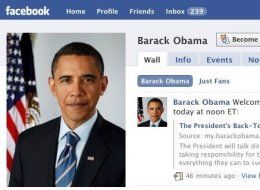
Obama’s Advise to School Students on Using Facebook

Obama recently advised a group of school students that they need to be very careful about what they post in Facebook and other social networking sites. Stupid posts on such sites can haunt you back later. Many organizations are using LinkedIn, Twitter and Facebook to know more about their prospective employee. Not only Facebook, a video posted on YouTube can ruin as it can be pulled up sometime later. Who knows, you may need to pay for the words which came out from you on these sites much-much earlier in your life.
Obama, himself was a victim for couple of times to the YouTube age, when some off-the-mark remarks came up on YouTube and blogs.

One young person asked the president whom he would choose to dine with if he could make only one such selection. "Gandhi," Obama replied. "He's somebody I find a lot of inspiration in. He inspired Dr. (Martin Luther) King" with his message of non-violence. "He ended up doing so much and changed the world just by the power of his ethics," Obama said of the inspirational leader Mahatma Gandhi.

Obama also says: "At the end of the day, we can have the most dedicated teachers, the most supportive parents and the best schools in the world, and none of it will matter unless all of you fulfill your responsibilities."

Source: Huffingtonpost

Sunday, August 30, 2009

If the Ramayan were on Facebook


In my earlier post, I did mention that Sreedharan is trying to re-tell Mahabharata on Twitter. Now, here is an imagination of Ramayana on Facebook. Kokonad. If the Ramayan were to have an status update like Facebook, how would it be like! He has used the appropriate icons and apps to come up with this.

Read If the Ramayan were on Facebook

The Ramayana: A Modern Retelling of the Great Indian Epic

Friday, August 28, 2009

Woof – When Twitter’s 140 Characters Aren’t Enough

Sometimes we find it bit tough to limit our tweets in 140 characters. Moreover, if I have to provide the reference to a link, I need to use a url shortening service. But, here you have Woofer which says you to be eloquent, use adverbs and DEA (don’t ever abbreviate). Can I say it as an anti-twitter “macro” blogging platform?

So Woof as opposed to Tweet.


The Woofer website looks similar to Twitter except that they limit the woof (yes, not tweet) to 1400 characters. And to mention it – that’s mandatory. It does not take anything less than 1400 characters.


The Twitter logo is replaced with the Woofer one and which indicates, you don’t have to tweet but “woof”.

The Twitter style search box simply re-directs to Google.

On clicking “Is this Twitter?” link on the top right will lead a giant letters “NO”.

But the bottom-line and the most important thing to know about the Woofer page is that it is mainly an interactive advertisement for Shuffeltime, suggesting that the website is simply a marketing stunt for Join the Company’s main website.

Wednesday, August 12, 2009

Facebook Going Lite on Twitter

According to TechCrunch, many social networkers who have been asked to try out Facebook Lite saying - Surprise, it is more Twitter-like.

The message sent out to beta testers reads, "You have been selected as a beta tester for Facebook Lite! We are building a faster, simpler version of Facebook that we call Facebook Lite. It's not finished yet and we have plenty of kinks to work out, but we would love to get your feedback on what we have built so far."

Check out Facebook Lite now at http://lite.facebook.com.

It has already purchased FriendFeed and according to some sources, Facebook earlier tried to buy Twitter for $500mn last year. And now, it has come up with Lite. What is next?

Thursday, August 06, 2009

Mahabharata retold Tweet by Tweet

Chindu Sreedharan, a lecturer from UK is retelling the Mahabharata on Twitter (http://twitter.com/epicretold), hoping to get the attention and interest of the users. Just imagine the task he has on his hands now. He wants to re-tell the great epic in 140 characters every day, step-by-step? He needs to be creative and efficient to have the interest lured to the tweets.

In 1980s the epic on the television managed to empty the city streets, forced changes in power cuts and railway timings. Even the actors of the serial got elected as members of the parliament. Will Sreedharan be able to create such a situation of narrating the epic tweet by tweet? I do agree the epic itself is written so well that there is dramatic tension every minute.

The strategy that Sreedharan is using here is his narration of this epic as per the point of view of Bheema. Yes, this interested me as well to know how this epic was viewed Bheema and will let us understand his thoughts too.

Now, I can imagine… Hum Log, Buniyaad too on this media. And not to forget “Twitter Mey Sholay”…hmm reality shows?

Source: Reuters

Mahabharat 16 DVD Set

Friday, July 17, 2009

More Than 100 Free Twitter Tools For You

A list of more than 100 Twitter tools which can be used for an easy tweeting around and keep you updated of the tweets. I have been spending lot of time to keep it updated. You may find some dead links, errors or typos which are unintentional. Please check the tools for credibility before using them. Also let me know if I have missed anything so that the same can be added or updated here.
1. Alex King Twitter Tool – Takes your tweets and posts them to your Wordpress blog
2. BiggerTwitter – Allows you to post longer messages, but uses a link in the tweet
3. BigTweet – Add it as a favorite and IE and send a tweet from any webpage. You can send the url or use the in-built url shortening service
4. Blackbird – It is a Twitter client for Blackberry smart phones
5. Blogo – A blog editor which also helps in search in Twitter. It also updates the status whenever you post a new article
6. CheckYesOrNo – Frame Yes/No poll questions and share it with your friends on Twitter to answer the question
7. Cullect – Helps you find and share. It is a collaborative feed reader that can be used for various accounts. You just need to sign in with your credentials say – your blog, Friendfeed or Twitter
8. Feedalizr – A desktop application that allows to share photos/videos, interact with Facebook and Twitter friends and be updated with the status messages of friends
9. FeedTwit - Get your Twitter @replies as text messages and read your RSS feeds as direct messages in your Twitter account.
10. Flotzam – A desktop application to share photos, tweets, Diggs, pokes and feeds
11. Foodfeed – Share your eating habits. Just point your tweets @having and share with other like minders
12. FreeTweets – Collection of good Twitter backgrounds
13. FriendorFollow – Know who you are following and know those folks that are not following you and vice versa
14. FuelFrog – Keep a log of your fuel and mileage. Compare your mileage with others in your area, or with the same car
15. Green Tweets - Uses semantic language analysis to identify tweets pertaining to green and environmental topics from the public Twitter stream
16. gTwitter – Is a Linux client for reading and posting to Twitter.com web service
17. iTweet – iPhone interface for Twitter
18. Jargong – Is a client application for most of the social networking, instant messaging and feeds. You can also update the tweets from this application
19. jTwitter – A mobile tool to enter updates through your mobile phone
20. KipFolio Widget – Twitter widget for KipFolio
21. LoudTwitter – Helps you to transfer your tweets directly to your blog
22. MoniTwitter – Receive updates of website via Twitter
23. PingTwitter – Add new posts of your blog as status update in Twitter
24. PocketTweets – A web-based Twitter client for Apple iPhone
25. Pwytter – Python Twitter client which can support Asian characters
26. Quotably – Nice tool. Follow the Tweets of a particular account in threaded style
27. SayTweet – Dynamic mashup to have your own pic as a badge with your status update
28. Shareaholic – Firefox plugin to share the webpage via Twitter
29. SnapTweet – Share Flickr photos on Twitter too
30. Spaz – A Twitter client for Palm Pre, Windows, Mac and Linux
31. Snitter – A desktop Twitter client built on Adobe AIR
32. StrawPoll – Tool to create polls in 140 characters
33. TeleTwitter – Open source Twitter client for Windows
34. Terraminds – Search tool to search for users and tweets
35. TopNewsTrends – Combines Google trends data with Twitter search
36. TrackThis – Track your UPS, FedEx, DHL, USPS via Twitter or Facebook
37. TreoTwit – Check and update your Twitter right from your Treo
38. Triqqr – A windows tool to submit tweets and to view profiles
39. Twappi – Provides the Twitter mood
40. Tw-autocomplete – Simple add-on for Firefox that adds auto-complete support for @-messages and DMs
41. TweetBar – Use Twitter to Firebox browser
42. TweetBurner – An url shortening service, which also provides the clicks and referrals details
43. TweetCloud – Know what is buzzing around in the twitter world
44. Tweetdeck - Adobe Air desktop application enables you to split the main feed into group specific columns allowing a broader overview of tweets
45. Tweeter – A java desktop client for Twitter
46. Tweetfeed – As name suggests. Helps in customizing the tweets online so that you can track the ones which are important to you
47. Tweetlater – Sends automated DMs to your followers
48. TweetMyPC – to connect your PC remotely to lock or shutdown, using a mobile device or another internet connected PC just by sending a tweet
49. Tweetr – A cross platform tool to submits tweets
50. TweetScan – Search tool. Search as per keyword or user name
51. TweetWhatYouEat – A food diary online and track your weight. (Hey… should help in burning your calories as well)
52. TweetWhatYouSpend – Cash tracking made simple through Twitter. Built cash journal and export to excel or csv
53. Twellow – A directory of Twitter users
54. TwerpScan – Keep an eye on growing list of friends and followers
55. Twessenger – Updates Live Messenger status as per the latest tweet
56. Twhirl – A desktop client connects you to multiple accounts – Twitter, FriendFeed, seismic and Iaconi.ca
57. Twidget – A dashboard widget that allows to update status
58. Twidroid – Twitter client for android mobile phones
59. Twiggit – Is an automated service that lets your friends on Twitter know what articles you Digg
60. Twinja – A desktop Twitter client (AIR) application that provides all the features of Twitter
61. Twinfluence - a simple tool using the Twitter API to to measure the combined influence of twitterers and their followers, with a few social network statistics thrown in as bonus
62. Twinkle – Location-aware network for iPhone and iTouch
63. Twippera – Opera browser plug-in that can update and view tweets
64. Twit4Live – Sets Live Messenger status as latest tweet
65. Twitbar – Post tweets from the GNOME deskbar
66. TwitBin – Firefox browser add-on to send and view tweets
67. TwitBox – Desktop client to view and submit tweets, supports multiple accounts
68. TwitDir – Allows user to search for users by name, location, or username
69. Twitgit – Submit and view tweets using the dashboard
70. Twitkit – A Twitter sidebar for Firefox. It has a 6-section interface, using tabs to separate content
71. Twitpic – Lets you share photos on Twitter
72. Twitr – Claims to be the #1 Twitter directory
73. Twitscoop – Twitter interface to send tweets, find friends, search and follow what is buzzing around in the twitter world. You can also save searches for future reference
74. TwitSeeker – search engine to find Twitter users as per their tweets and not as per their profile
75. Twitter100 – This app creates a collage of all your friends you are following, so that you do not miss tweets of your special friends you are following
76. Twitter For Busy People – Same as Twitter100. But, if you are following too many friends then this is better
77. Twitt(url)y – A tool to track the URLs people are talking about on Twitter
78. Twittelator – Complete iPhone Twitter client
79. TweetAhead – Schedule tweets to be posted ahead of time with a simple dashboard widget
80. Twitter CLI – A windows tool to post tweets using the command line
81. Twitter for Vim – A Linux tool to publish tweets right within Vim
82. Twitter.el – A Linux tool to publish tweets while in Emacs
83. Twitter100 – Use it to view 100 tweets at a time
84. TwitterBar – Post to Twitter from you Firefox address bar
85. TwitterBerry –Twitter for various BlackBerry devices
86. TwitterBuzz – Find out what URLs are being most linked to on Twitter
87. TwitterCard - Create a 125(w) x 125(h) pixel banner ad to put on your blog or website and display the current status
88. Twit.el – A linux tool that allows publishing of tweets in Emacs
89. twitterfeed.com – A tool which uses the latest blog feed as tweet
90. TwitterFox – Firefox extension that can publish and view tweets
91. Twittergrader – Provides you a grade based on the power of your Twitter profile
92. Twitterholic – Shows the top users and accounts on Twitter
93. Twitterless - Notifies you when somebody stops following you and lets you know who it is and the follower history is graphed out over time
94. Twitterlex – Mac OS X dashboard widget that shows the last 30 tweets which refreshes periodically
95. Twitterlicious – Update Twitter status, check replies and direct messages
96. TwitterLinkr – Collects the links posted trough Twitter
97. Twitterlocal - A tool to filter tweets based upon users’ location. It also provides the searches in RSS or XML file
98. Twittermaps – A mashup technology that allows Twitter users find each other using Google maps
99. Twitteroo – A windows tool to update and view the status
100. Twitter.PollDaddy.com - Create Polldaddy polls and post them directly to your Twitter stream
101. TwitterPost – A Mac client that submits tweets, shows your current iTunes track in your feed and more
102. Twitterrific – Mobile and desktop tool to post and view tweets
103. Twittersearch – Search Twitter and tweets using keywords
104. Twitter SPY - Displays the Twitter public timeline
105. TwitterSync for Yahoo – Syncs Twitter status with Yahoo Messenger status
106. Twittertise - Allows you to schedule your tweets in advance and track the clicks on URLs you tweet
107. Twittervision – See where in the world people are submitting tweets from in real-time
108. TwitterYM – Updates the Yahoo Messenger status taking the latest tweet
109. TwitThis – Allows your website/blog visitors easily share a page or post via Twitter
110. TwittyTunes – A FoxyTunes (Firefox extension) add-on that posts what you are currently listening to
111. Twitux – A Twitter client for the GNOME desktop
112. Twitwall - When it’s too long to tweet, but too short to blog, just TwitWall it! TwitWall is the easy-to-use, quick-to-blast-out blog companion for Twitter
113. Twitxr – Share pictures from your mobile phone. Automatically publish them on social networks and photosharing sites
114. Twonvert – Easily converts your tweets into SMS shorthand language and allows you to say more with the 140 characters
115. Twonvo – Threads your tweets
116. Twuzzer – Twitter / GoogleMaps mashup.
117. Useqwitter – e-mails when a twitter stops following you after a certain post
118. What’s Up? – Gadget that allows you to see latest tweets from your friends
119. WildSets –Twitter app for mobile phones
120. yammer – A similar mico-blogging software to Twitter. Can be used by enterprise companies and can be used as an intranet solution
121. Yoono – Receive alerts, update your status or message your friends in your browser sidebar. No need to switch from one site to another or from your browser to a desktop app. Also integrates other services: Facebook, flickr, friendfeed, major IM services
122. ZenTwitter – A GUI frontend for Twitter using zenity and curl

I thank Shannon. Most of the list is from his page. All credit goes to Shannon.

Sunday, June 21, 2009

Update your Facebook Status from Twitter

Yes. You can update your Facebook status right from Twitter now. And that too only for the tweets you want. Just end a tweet with #fb when you want it to update your Facebook status – It’s that simple.

Some more tips to take care –
  1. Take care not to confuse your Facebook friends with different and frequent tweets
  2. Leave certain updates on Facebook for longer time
  3. Twitter is Twitter and Facebook is Facebook. One needs to treat them differently
  4. There can be some time lag for the status to reflect on Facebook. Have patience.